What Is a Self-Service Screen and How Does It Work in a Restaurant?
Share this post
What Is a Self-Service Kiosk and How Does It Work in a Restaurant?
A self-service kiosk, also called a totem, is a touchscreen located in the restaurant where customers view the menu, place their order, and pay without going to the counter. The order goes directly to the kitchen and the register, without anyone having to enter it manually. Kiosk, totem, self-ordering screen, or, in English, “Self-Ordering Kiosk”—they all mean the same thing.
Where is it placed, and why there?
The kiosk is placed along the customer’s natural path from the moment they enter until they reach the counter. It’s usually located just before the counter, facing the door or right next to the wall on the right—which is the direction people turn when they enter.
Placement isn’t decoration. A display that a customer sees once they’re already in line won’t be noticed, because by then they’ve already decided to wait. One they see upon entering, however, will be.
And you need space in front of it. It takes longer for someone to place an order at a kiosk than for someone to order verbally, because they have to read. If it’s right in the way, it gets in the way.
What it looks like
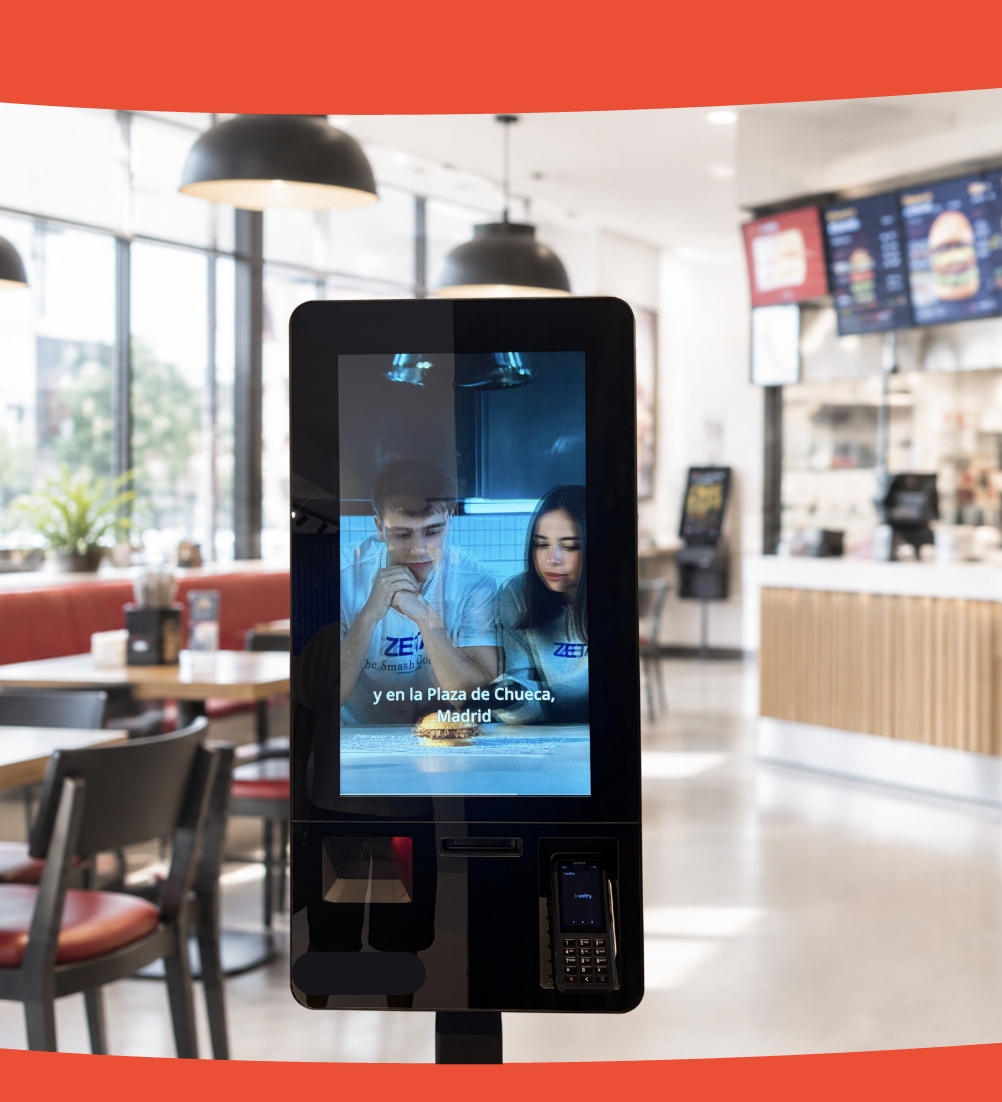
The home screen featuring categories, highlights, and a promotion, and the display stand in its designated spot inside the store.
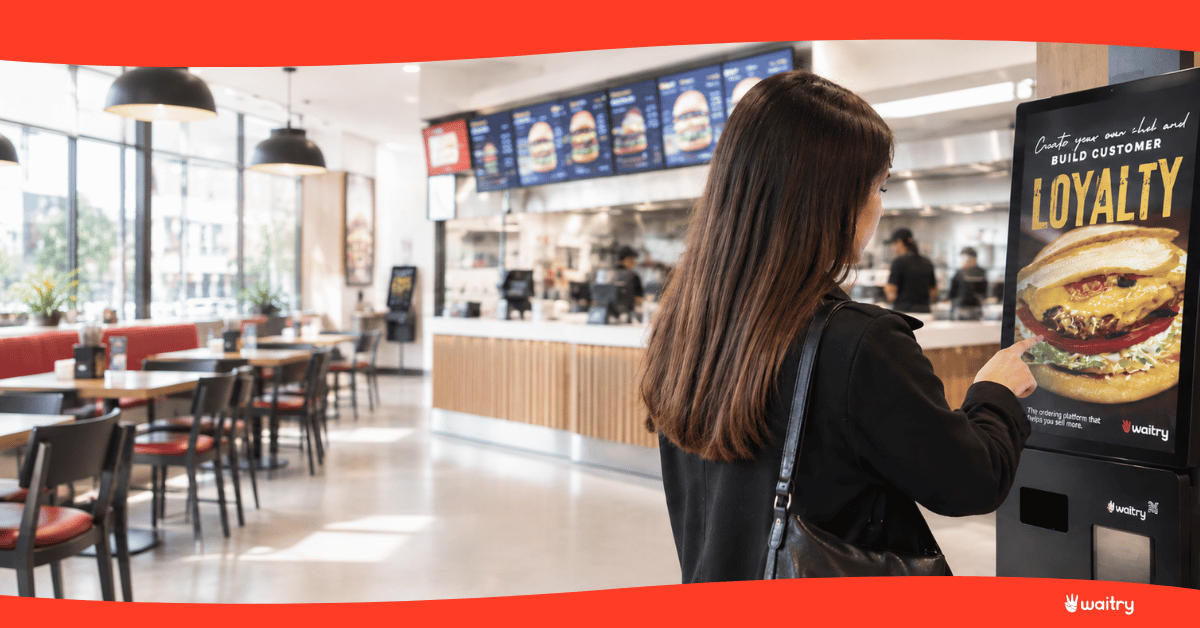
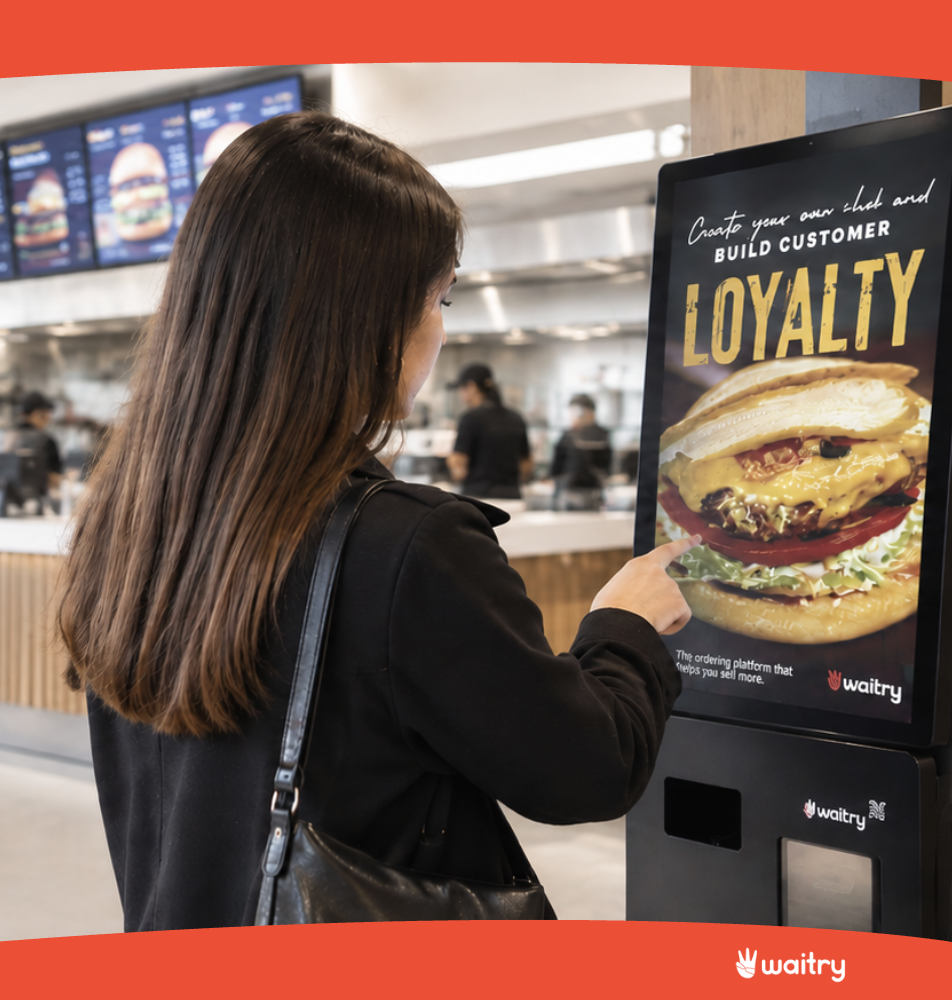
A kiosk has two sides. What the customer sees is an on-screen menu with photos, categories, and a shopping cart. What you see is a control panel where you decide what appears on that screen.
And it’s that second aspect that really determines whether the kiosk is profitable. A menu displayed exactly as is, with forty items listed, sells less than a well-designed display: the best-selling items at the top, good photos first, and complementary items offered at just the right moment.
What exactly can you do with it?
Design the home screen: banner, title, product or category sections, featured items, promotions, and loyalty blocks, each with its own image.
Offer the add-on in the shopping cart, along with information about what is actually being added and how much each product on that shelf contributes.
Change the menu in minutes, without calling anyone or opening a support ticket.
Publish to multiple kiosks at once: group the kiosks together so that a change appears on all of them, or test it first at one location and then roll it out to the entire chain.
Selling in multiple languages—in a tourist area, that’s the difference between someone placing an order or walking away.
Sign the customer up for the rewards program right then and there, while they’re paying.
Accept payments at the kiosk itself, by credit card or mobile payment.
What You Can Measure at a Kiosk
The middle ticket from the kiosk across from the counter. This comparison says it all. The screen takes its time, never fails to deliver, and isn’t afraid to ask if you want a larger portion, so it tends to sell more per order. How much more depends on your menu, which is why you have to measure it and not just take it at face value.
How many people accept each suggestion. Out of every 100 shopping carts where the large size was offered, in how many was it added? Product by product. This allows you to reorganize the shopping cart’s shelves based on data rather than intuition.
Where people fall. How many people start an order and leave it halfway through, and on which screen do they stop? It’s not the same if they abandon the order at checkout as it is when choosing the sauce: the former is a problem of trust or the payment method, while the latter means you’ve provided too many options.
Which products are viewed but not added. Rejection. A dish that everyone opens but no one orders has a problem with its price, photo, or name—and until now, there was no way to know which one.
How many of those who come in use it? If the kiosk accounts for 10% of orders, it’s almost always a placement, not a rejection.
How long an order takes—that’s what tells you whether the menu on the screen is set up correctly.
And the number that really matters to you: whether the kiosk pays for itself. It’s calculated using two figures you didn’t have before but do now: how much the average order amount has increased and how many orders go through the kiosk each month. That, compared to what the kiosk costs you. It’s not a promise—it’s a simple calculation—and you can do it yourself with your own data by the second month.
How it integrates, and what to look for before buying
With the POS terminal. “The kiosk doesn’t replace your cash register,” he writes. Sales from the kiosk go into the same system as those from the counter, so there’s still just one closing—not two accounts that you then have to reconcile.
In the kitchen. The order appears on the kitchen screen marked as “kiosk,” so the staff knows that there isn’t a table waiting, but rather someone standing there with a receipt in hand.
With the letter. It’s the same menu on the website and the QR code. If you change a price once, it updates in all three places—which is exactly where things get out of sync when each channel is edited separately.
Through the rewards program. Customers log in or sign up at the kiosk itself, so self-service sales are no longer anonymous.
Here’s what we suggest you check out
Don’t switch POS systems just to set up a kiosk. It’s the most expensive and most common mistake. Changing the cash register affects the entire team and all processes. Look for a kiosk that integrates with the one you already have—not the other way around. If someone tells you that you have to change the cash register to install their kiosk, that’s not a technical limitation—it’s just their sales pitch.
Have the order sent directly to the kitchen. Without anyone copying it. A kiosk that prints out a receipt that someone then enters into the POS terminal hasn’t taken away your work—it’s just moved it somewhere else and, on top of that, added another opportunity for error.
Don’t buy a kiosk without analytics. This is the one that matters most to us—and the one almost no one asks about. A kiosk that makes sales but doesn’t tell you what’s accepted, what’s rejected, and where people drop off is just a cash register with a pretty screen. Ask to see the reports before you sign, not after.
Ask who changes the menu. If the answer is “open a ticket and it’ll be done in 48 hours,” you’re going to stop changing it. Your team needs to be able to do it in minutes, without any help.
He asks what happens if the network goes down. A kiosk that stops selling when the connection goes down means a line of people waiting during rush hour. If the app is native, it keeps working and syncs later.
🔌 Find out if it integrates with your POS terminal
Ágora, Revo, Hosteltáctil, ICG Hiopos, Lightspeed, Oracle Simphony, MaxiRest, Sinqro, Deliverect, and a few others.
What you see at the locations that have this setup isn’t that there are too many people. It’s that people are switching roles. The person who used to be at the register now works on the floor, resolving issues, taking orders, and helping customers who have a genuine question. The kiosk handles the repetitive part of the job, which is typing up what someone has just said.
And there is one context worth keeping in mind: 58.5% of establishments had difficulty hiring this summer, according to the Hostelería de España summer season survey published on September 14, 2026. At most establishments, the problem is not that there are too many workers.
That’s how we do it
Waitry’s kiosks are developed in-house, and the app is native: it continues to sell even if the network goes down.
We’ll give you the kiosk and the monitor so you can keep an eye on it in real time. You can check on your phone whether the kiosk is turned on, if it’s currently in use, if the payment went through or was interrupted, and if the printer has run out of paper. If a kiosk doesn’t start up in the morning, you’ll know about it before your customer does. And if necessary, you can view and control the screen remotely from the dashboard.
And we’ll provide you with your own analytics, month by month. The shopping cart’s add-ons section shows, item by item, how often each item is added and how much revenue it generates, so you can reorder based on data. You don’t have to ask anyone for reports.
Kiosk Studio lets your marketing team design the home screen and publish it to all the chain’s digital signage displays without going through support, using groups to test it first at a single location.
If you’ve made it this far, please schedule a demo!
Restoration. The same old story: fast food, poke, coffee shops, food halls. Places where there’s a line at the same time every day.
Hotels. Breakfast, the pool bar, room service ordered from the lobby. In hotels, the kiosk also solves the language barrier, which is half the problem when serving a guest who arrived last night.
Large-scale events. Concerts, fairs, stadiums, festivals. That’s where it’s most noticeable, because all the sales happen during intermissions, and there the line isn’t a nuisance—it’s just lost sales. And since the kiosk is set up and taken down, it’s used for a few days and then returns to its usual spot.
And the usual places that nobody mentions: museums, movie theaters, train stations, sports centers. Any place with a counter, a line, and a menu.
What you need, technically speaking
The totem. There are three formats, and the choice almost always comes down to space:
Format
Where does it fit in?
Things to Keep in Mind
Standing
Businesses with a lobby or open space at the entrance
The most visible and the most widely used
After lunch
Counter spaces, bars, small establishments
It takes up little space, but it’s less noticeable
Wall-mounted
Narrow aisles, stores in a shopping mall
It’s not in the way; we have to drill through it.
The screen. Sizes typically range from 22 to 32 inches. It’s touch-sensitive, of course, and has plenty of brightness if streetlight hits it: a kiosk against a storefront at noon turns into a mirror.
Payment. A card reader built into the kiosk, with contactless capability. If you want to accept cash, you’ll need a coin and bill acceptor, which makes the system significantly more expensive and requires more maintenance. Most businesses start out accepting only cards.
The printer. For the receipt with the order number. It goes inside the totem.
The installation. Power outlets and internet. This is where a cable really comes in handy: a kiosk that loses its Wi-Fi connection right in the middle of rush hour means a line that comes to a standstill.
Accessibility. Height matters. A screen designed only for someone standing excludes those in wheelchairs, and that’s not only unfair—it also means lost sales.
When It’s Really Worth It
The kiosk really shines when there’s a line and when the menu offers options to mix and match. If your store never has a line, the kiosk won’t be much help. If there’s a line every day at the same time, it’s one of the few things that tackles the problem head-on.
It also works well in places with a lot of walk-in or foreign customers, because the screen in their language provides information that a printed menu cannot.
What it doesn’t do is bring in new customers. The kiosk works with the customers who already walk through your door: it serves more of them and offers them better service, but it doesn’t fill an empty store.
Frequent questions
What is the difference between a kiosk and a totem?
None. They’re two names for the same thing: a screen where the customer places an order and pays on their own.
Does the kiosk replace the POS terminal?
No. He writes it down. The sales from the kiosk go into the same cash register as those from the counter, and there’s still only one closing.
Yes, with a coin and bill dispenser, but that makes the kiosk more expensive and requires more maintenance. Most start out with just card and contactless payments.
What happens if the internet goes down?
It depends on the kiosk. Waitry’s is a native app designed to let you continue selling even without an internet connection and sync up when you’re back online.
How many kiosks do I need?
A good rule of thumb is to check the line during peak hours. If more than four or five people are usually in line, one won’t be enough.
Who updates the menu at the newsstand?
Manage your equipment right from the dashboard. No need for a technician or to open a ticket. And that’s a good question to ask before you buy: if the answer is “open a ticket,” you’ll stop using it.
What metrics can be derived from a kiosk?
Average ticket size compared to the counter, how many people accept each suggestion, which screen users who don’t finish their order end up on, which products are viewed but not added, how many of those who enter use it, and how long it takes to place an order.
Bonus Questions:
How do I know if the kiosk pays for itself?
With two figures provided by the kiosk itself: how much the average receipt amount increases and how many orders it processes per month. Compare that to what it costs you. By the second month, you’ll have the numbers figured out.
Is there a way to tell if a kiosk is turned off or has malfunctioned?
With the Waitry panel, you can see in real time: whether it’s turned on, whether it’s in use, whether the payment went through, and whether the printer ran out of paper.
Is a kiosk suitable for a hotel or an event?
Yes. In hotels, it also solves the language barrier, and this is most noticeable at large events, because all consumption is concentrated during breaks. It’s set up for a few days and then put back in its place.
Usamos cookies 🍪 propias y de terceros con fines analíticos para brindarte un servicio cada vez mejor. Persionando "Aceptar" das tu consentimiento a todas las cookies.
This website uses cookies to improve your experience while you navigate through the website. Out of these, the cookies that are categorized as necessary are stored on your browser as they are essential for the working of basic functionalities of the website. We also use third-party cookies that help us analyze and understand how you use this website. These cookies will be stored in your browser only with your consent. You also have the option to opt-out of these cookies. But opting out of some of these cookies may affect your browsing experience.
Necessary cookies are absolutely essential for the website to function properly. These cookies ensure basic functionalities and security features of the website, anonymously.
Cookie
Duration
Description
cookielawinfo-checbox-analytics
This cookie is set by GDPR Cookie Consent plugin. The cookie is used to store the user consent for the cookies in the category "Analytics".
cookielawinfo-checbox-functional
The cookie is set by GDPR cookie consent to record the user consent for the cookies in the category "Functional".
cookielawinfo-checbox-others
This cookie is set by GDPR Cookie Consent plugin. The cookie is used to store the user consent for the cookies in the category "Other.
cookielawinfo-checkbox-necessary
This cookie is set by GDPR Cookie Consent plugin. The cookies is used to store the user consent for the cookies in the category "Necessary".
cookielawinfo-checkbox-performance
This cookie is set by GDPR Cookie Consent plugin. The cookie is used to store the user consent for the cookies in the category "Performance".
viewed_cookie_policy
The cookie is set by the GDPR Cookie Consent plugin and is used to store whether or not user has consented to the use of cookies. It does not store any personal data.