
 Español
 English
 Português
Which POS systems integrate with a self-service kiosk
Adding a kiosk doesn’t mean changing your till. The POS systems with a documented connector, what to check and when it makes sense for the POS to be new too.
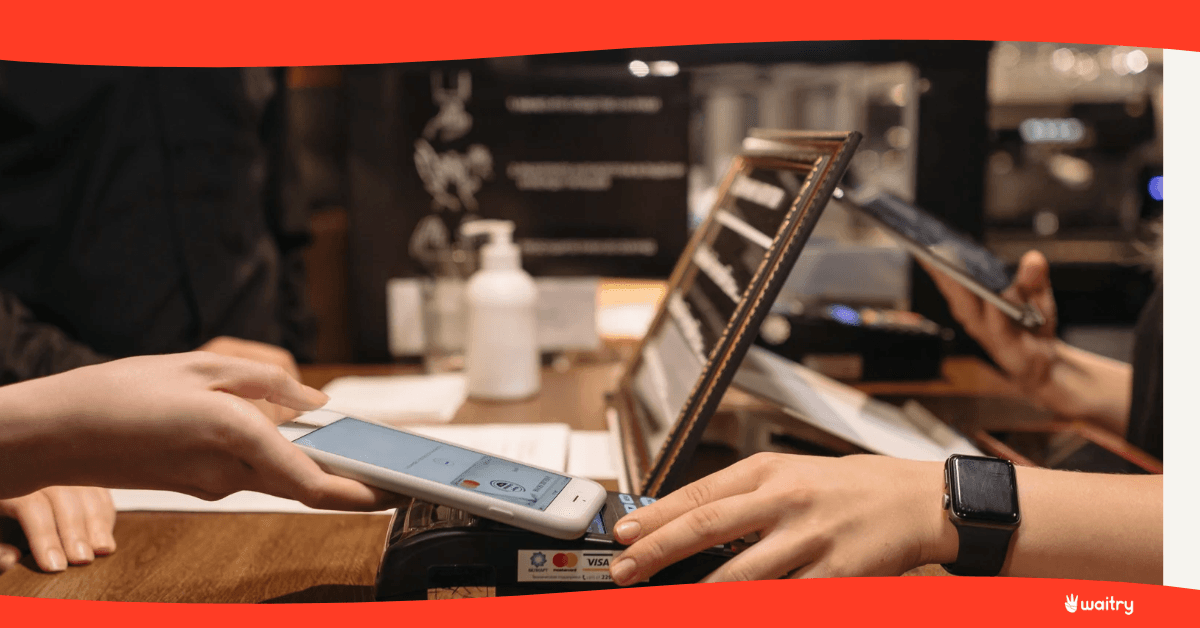
The ones with a documented connector, and in Spain there are eight. Adding a self-service kiosk doesn’t mean changing your till: orders and payments go into the system your team already uses. Here’s which ones they are.
The question that stalls the project
A chain decides to add kiosks. In the third meeting someone says that means changing the POS, and the project stalls for six months, because changing the till means retraining everyone and rebuilding the end-of-day close.
It’s almost never necessary. Here’s what it connects to and what to check first.
First, what each one is
The word POS covers quite different things. There’s software installed in the venue, platforms that live in the cloud and layers that don’t take payments at all and just organise orders coming in from outside. Knowing which of those three yours is changes the conversation with any supplier.
Ágora
POS software and hardware for hospitality and retail, from I.G.T. Microelectronics, with separate editions for restaurants, retail and food stores. Its website is agorapos.com and the connection is explained in how to integrate Ágora with Waitry.
Cegid Revo Xef
The one almost everyone still calls Revo. Today revo.works takes you to Cegid, and the product is called Cegid Revo Xef: a POS for restaurants and bars that connects the dining room, kitchen, delivery, reservations, stock and back office, with the floor app on iPad and management on the web. Around it there are its own modules for control, self-ordering and kitchen display. It’s on Cegid’s product page and the connection is in how to integrate Revo with Waitry, which keeps the old name.
ICG Hiopos
A cloud platform with Android and web products, organised by sector, which as well as the sales terminal includes back office, self-service, ERP and CRM. It works in hospitality, retail, food and beauty, and says it’s present on all five continents. Its website is hiopos.com and the connection is in how to integrate ICG Hiopos with Waitry.
Lightspeed
A POS platform with built-in payments for restaurants and hospitality, with versions for bars, fast food, cafés and bakeries, hotels, fine dining and multi-site groups. On its own website it says it’s used in around 150,000 businesses in more than 100 countries. It’s at lightspeedhq.com and the connection is in how to integrate Lightspeed with Waitry.
Maxirest
Argentinian restaurant management software, with order taking, till, invoicing and analytics, in cloud and on-premises versions, designed for anything from a food truck to a chain. Its website is maxirest.com.ar and the connection is in how to integrate MaxiRest with Waitry.
Hosteltáctil, Oracle Simphony and Thinkion
All three have a documented connector and a published guide: Hosteltáctil, Oracle Simphony and Thinkion.
And if yours isn’t a till but an ordering layer
Sinqro describes itself as an operations layer for a restaurant’s digital channels: it centralises orders coming in online and from marketplaces, the menu and the data, and passes them to the POS. It’s at sinqro.com and the connection is in how to integrate Sinqro with Waitry.
For the same job there are also connectors with Deliverect and Ordatic.
The full list, counting POS, ERP, delivery, payments, loyalty, marketing and accounting, runs to more than 100 platforms and is on our integrations page.
The other option: make the POS ours too
If you don’t have a till yet, or yours is at the end of its life, the short route is to set up both together.
Our POS is an app for Windows, Android, iOS, iPadOS and macOS that writes the order and the payment to the device before anywhere else, so it keeps taking payments offline and syncs when the connection comes back. It takes payments with an integrated card terminal, a standalone terminal, a phone and cash, with cash automation if you use a cash recycler. It includes a customer-facing second screen, staff clock-in with a PIN or face recognition, and cashing up.
The advantage of having everything on the same side isn’t ideological, it’s practical: the menu is built once, there’s one close, and there’s no need to match products and modifiers between two systems. That matching is the work nobody budgets for when they integrate.
It also works for opening a new venue, for a format that moves around like a seasonal terrace or a pop-up, and for a franchise starting from scratch.
What to check before you sign off an integration
That the kiosk order reaches the till with its modifiers and notes, not just the amount. That the payment lands in the same close, so cashing up balances without adding things up by hand. That the menu is kept in one place, because keeping it in two is the hidden cost of any integration. And that the order also reaches the kitchen display marked as coming from the kiosk.
How to set all this up is in our help centre.
Frequently asked questions
Can I add a kiosk without changing my POS?
Yes, it’s the most common case. Payments land in the till you already have.
What if my POS isn’t on the list?
We look at it case by case, and there are webhooks for systems without their own connector.
Does the kiosk work if the internet goes down?
The app is native, so it keeps selling and syncs when the connection comes back.
How long does the integration take?
As long as it takes to match the menu, which is the long part. The connection itself is the easy bit.
What about invoicing?
In Spain, Verifactu and TicketBAI are handled from the integrations centre, without touching the till.
How many kiosks can one till handle?
There’s no set number: it depends on the venue’s volume. It’s one of the things we look at in the demo with your menu.
Where to start
And to see kiosks working with the kitchen and till connected, have a look at our success stories.
Sources
Systems with documented integration: guides published in the Waitry help centre and the integrations page. Checked on 16 November 2026.
Number of integrated platforms: Waitry brand guide, more than 100 platforms.
How the POS and kiosk work offline: Waitry product documentation.
Get it up and running at your premises
Bring your menu, we’ll set it up in front of you and you can see it in action with your own records. Fifteen minutes, no obligation.
Book a demoRead on
 Where should I put a self-service kiosk so people actually use it?Placement matters more than the model: where to put the kiosk, how much space it needs, how high it must be and how to tell from the data if you got it right.