
 Español
 English
 Português
Where should I put a self-service kiosk so people actually use it?
Placement matters more than the model: where to put the kiosk, how much space it needs, how high it must be and how to tell from the data if you got it right.
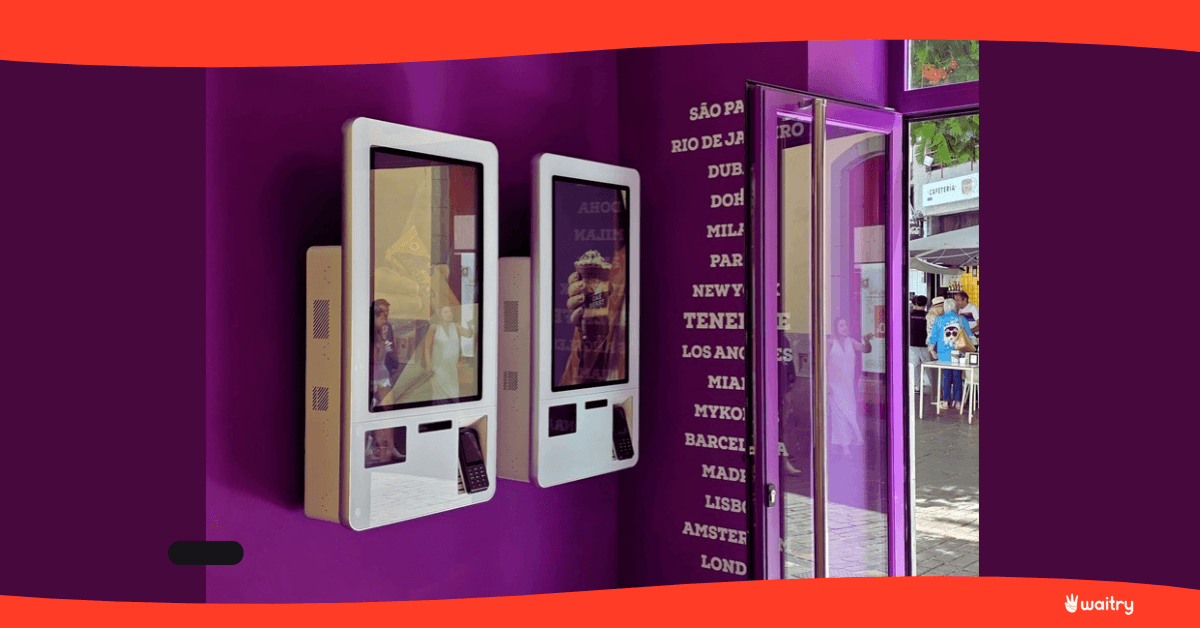
Placement matters more than the model. A kiosk that people can’t see as they walk in gets little use, because anyone who has already joined the queue won’t leave it. And it needs space in front, because ordering on a screen takes longer than ordering out loud: people are reading. Those two things explain almost every idle kiosk out there.
The mistake that keeps happening
The kiosk arrives, there’s no obvious spot for it, and it ends up wherever it fits: to one side of the bar, behind a pillar, in the corridor to the toilets.
Two months later the owner looks at the numbers, sees that 8% of orders come through the kiosk and concludes that their customers don’t like self-service.
It’s almost never that. It’s where it’s been put.
The rule that sums it up: before the decision, not after
When someone walks into your venue, they decide in the first few seconds how they’re going to order. If the first thing they see is a queue, they join it. And from then on the kiosk doesn’t exist, even if it’s three metres away and free.
That’s why the right spot is the one people pass before the queue, not the one next to it.
In practice, that means putting it on the line people follow as they come in, straight ahead or slightly to the right, which is where most people turn. And making sure the screen can be seen switched on from the door.
What it needs around it
Space in front, more than you think. A metre and a half of clear space. Ordering on screen takes between one and three minutes, and during that time the customer can’t be blocking the way or have people looking over their shoulder.
No narrow corridors. If people have to walk around the kiosk, your team will end up asking for it to be moved.
Somewhere to put things down. A bag, a phone, a coat. A small shelf next to it increases use by more than it costs.
Controlled light. A kiosk facing a shop window at midday turns into a mirror. If you can’t move it, you need one with a brighter screen.
Power and network. Wired wherever possible, and planned before you choose the spot, not after.
Screen height, which is also a legal requirement
In Spain, Law 11/2023 includes self-service terminals among the products that must be accessible, and it has been in force since 28 June 2025.
What that means when you place it: the screen must be usable from a wheelchair, with the reach and viewing angle that implies, and with enough contrast and a large enough font. If you install two kiosks, the usual solution is to put one lower.
It isn’t just about compliance: these are people who otherwise can’t order on their own.
How many, and in what order
The rule of thumb is the queue at peak time. If more than four or five people regularly end up waiting, one won’t be enough.
And if you’re putting in two, don’t put them side by side. Two kiosks next to each other create a single queue in front of both, and people hesitate over which one to use. A few metres apart, each one picks up its own flow.
In busy venues with little space, a double-sided kiosk solves this in the footprint of one.
By type of venue
Venue | Format | Where to put it |
|---|---|---|
Fast food and fast casual | Freestanding | On the entry line, before the counter |
Café or small bar | Table-top | On the counter, at the opposite end from collection |
Shopping centre or food court | Wall-mounted or freestanding | At the edge of the unit, facing passers-by |
Hotel | Freestanding | In the lobby, visible from reception |
Terrace or event | Outdoor | Where it can be set up and taken down without building work |
In a café, ordering and collecting at opposite ends stops them fighting over the same metre. In a shopping centre the kiosk also works as a sign. In a hotel, it sells in the hours when nobody is serving: early breakfast, a midnight snack. And on a terrace or at an event, what matters is that it can be set up and taken down.
How to tell if you got it right
No guesswork: the data is in the dashboard.
The usage rate, meaning the share of orders that come through the kiosk. It’s the first number to look at, and the one that gives away bad placement.
Average spend per point of sale. If one kiosk takes half as much as another in the same venue, the problem isn’t the hardware: it’s where it is.
And if you move the kiosk, compare the two weeks before with the two weeks after. It’s the cheapest experiment you can run on your floor.
How we do it
From the dashboard you can see live whether each self-service kiosk is switched on, whether it’s being used right now, whether the payment went through and whether the printer has run out of paper. That’s what lets you compare two spots without waiting for the end of the month.
And because the app is native, the kiosk keeps taking payments offline, which matters when the best spot turns out to be exactly where the wifi is weakest.
The menu is the same digital menu you use in the dining room and on the QR code, and orders land on the same kitchen display, so moving a kiosk doesn’t mean changing anything else.
What moving it won’t fix
If your venue never has a queue, the kiosk will sit idle in any corner. It earns most where people are waiting.
And if the menu on screen is badly set up, with too many categories and too many steps, people give up halfway through. You can see that in the drop-off data for each screen, and you fix it in the menu, not on the floor.
Shall we look at it with your floor plan?
In a 15-minute demo we go over where your customers come in, where the queue forms and how many kiosks make sense. It’s the quarter of an hour that saves the most money in the whole project.
Frequently asked questions
Where should a self-service kiosk go?
On the line people follow as they walk in, before they reach the queue, with clear space in front.
How much space does it need in front?
About a metre and a half. Ordering on screen takes one to three minutes, and during that time the customer mustn’t block the way.
Why is nobody using it?
It’s almost always placement, not rejection. If people can’t see it as they come in, anyone who has joined the queue won’t leave it.
Can I put two side by side?
Better a few metres apart. Side by side, they create a single queue and people hesitate. If space is tight, a double-sided kiosk solves it.
How high should the screen be?
High enough, and low enough, to be used from a wheelchair. In Spain it’s a legal requirement under Law 11/2023, and if you install two, one usually goes lower.
How do I know if it’s in the right place?
From the usage rate in the dashboard, and by comparing average spend at each point of sale. If you move the kiosk, compare the two weeks before with the two weeks after.
What if it gets direct sunlight?
You need a brighter screen or a different spot. Facing a shop window at midday, a standard screen looks like a mirror.
Where to start
Sources
Accessibility of self-service terminals, screen height and date of entry into force (Spain): Law 11/2023 in the BOE.
Usage rate, spend per point of sale and live kiosk status: Waitry product documentation.
Get it up and running at your premises
Bring your menu, we’ll set it up in front of you and you can see it in action with your own records. Fifteen minutes, no obligation.
Book a demoRead on